Ever dreamt of lighting that dances to music, paints vibrant scenes on your walls, or simply gives your space that “wow” factor? If so, you’re in for a treat with Ws2812 Led Strips. These aren’t your average, run-of-the-mill light strips; they’re the superstars of dynamic lighting, capable of transforming any environment with a burst of color and creativity. The WS2812 LED strip has revolutionized DIY and professional lighting projects, making sophisticated light effects accessible to everyone. Forget static, single-color lighting – with WS2812, each tiny LED is a pixel you can command, opening up a universe of possibilities right at your fingertips.
What Exactly is a WS2812 LED Strip?
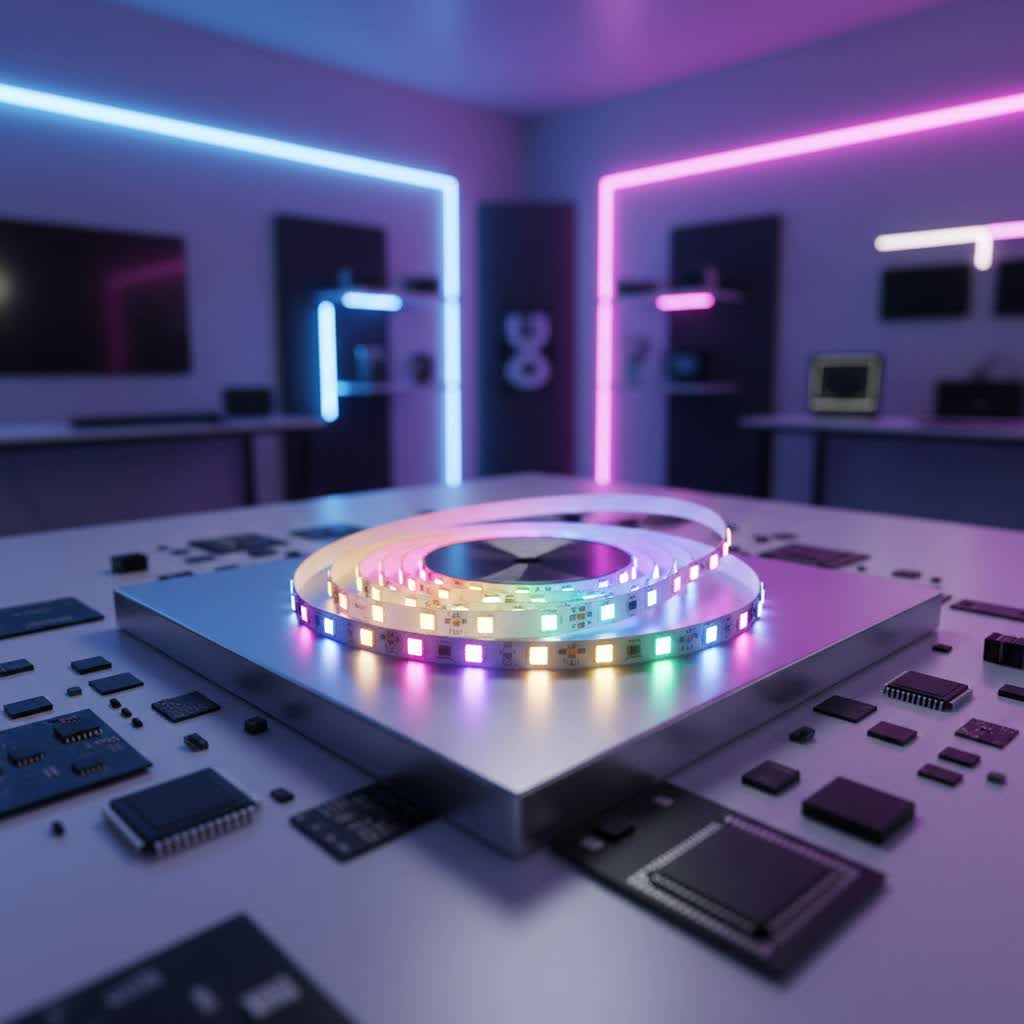
At its heart, a WS2812 LED strip is a series of intelligent, individually addressable RGB (Red, Green, Blue) LEDs. What makes them so special is that each LED package, often a compact 5050 size, has a tiny control chip integrated right alongside the red, green, and blue light-emitting diodes. This integrated chip is the brain behind the magic, allowing you to control the color and brightness of every single LED independently, rather than controlling the entire strip as one unit. This is why they’re often called “addressable LED strips” or “digital LED strips.”
These strips typically operate on 5V power and communicate via a clever single-wire data protocol. Imagine a digital message traveling down a line: the first WS2812 LED reads its specific instructions (a 24-bit data packet defining its color and brightness), executes them, and then passes the remaining instructions down to the next LED in the chain. This “daisy-chain” configuration means you can control dozens, hundreds, or even thousands of individual pixels using just one data pin from a microcontroller. While there are other addressable LED types like the WS2811 (which uses an external chip and often 12V), or the SK6812 (which adds a dedicated white channel for purer whites), the WS2812 (and its common variant, WS2812B) stands out for its simplicity, widespread adoption, and excellent community support.
Choosing the Right WS2812 LED Strip for Your Project
Selecting the perfect WS2812 LED strip is like choosing the right paint for a masterpiece – it depends on your vision. Here’s what you should consider:
- LED Density: WS2812 strips come in various densities, typically 30, 60, or even 144 LEDs per meter. Higher density means a smoother, more continuous light effect, but also requires more power and processing. For subtle accent lighting, 30 LEDs/meter might suffice, while intricate displays often benefit from 60 or 144 LEDs/meter.
- Length and Power: Think about how long your strip needs to be. Each WS2812 LED can draw up to 60mA (at full white brightness), so longer strips will demand significant power. Always over-estimate your power supply needs!
- Indoor vs. Outdoor: Will your project be exposed to the elements? Many WS2812 strips come with silicone sheathing for water and dust resistance, making them suitable for outdoor or damp environments. For indoor use, non-waterproof strips are usually more affordable and easier to work with.
- Form Factors: Beyond traditional strips, WS2812 LEDs are also found in various forms like rings, matrices, and individual breakouts. These offer different creative possibilities for specific projects.
Simple Steps to Install and Power Your WS2812 LED Strip
Getting started with WS2812 LED strips is more straightforward than you might think, but attention to detail is key for a dazzling, reliable setup.
Essential Components You’ll Need
Before diving in, gather your tools and materials:
- WS2812 LED strip (the star of the show!)
- A microcontroller (like an Arduino Uno, Nano, or ESP32/ESP8266)
- A suitable 5V DC power supply (with enough amperage for your strip)
- Hook-up wires (ideally different colors for clarity: red for 5V, black for GND, green/yellow for data)
- A breadboard or prototyping board (for testing)
- A large capacitor (100uF to 1000uF)
- A current-limiting resistor (220-470 Ohm)
- Soldering iron and solder (if cutting and rejoining strips)
- Wire strippers, cutters
|
Our Picks for the Best LED Strip in 2026
As an Amazon Associate I earn from qualifying purchases.
|
||
| Num | Product | Action |
|---|---|---|
| 1 | Govee Smart RGB LED Strip Lights for Bedroom, 32.8ft WiFi LED Light Strip Work with Alexa Google Assistant, 16 Million Colors with App Control and Music Sync Lights for Home Decor, 2 Rolls of 16.4ft |

|
| 2 | KANTUTOE LED Lights for TV, 16.4ft LED Lights for 45-75 Inch TVs, RGB TV Backlight Behind, Music Sync Bluetooth APP & Remote Control Strip Lights USB Powered for Bedroom, Gaming, Home Décor |
|
| 3 | Aclorol LED Strip Lights 5V USB 6.56FT/2M 640 LEDs Blue Indoor Rope Lights for Bedroom Not Waterproof IP20 CRI85+ Flexible LED Light for TV Backlight Living Room Party DIY Lighting |
|
| 4 | Govee 100ft RGBIC LED Strip Lights, Smart LED Lights Work with Alexa and Google Assistant, LED Lights for Bedroom WiFi App Control Segmented DIY Multiple Colors, Color Changing Light, (2 x 50ft) |
|
| 5 | Govee Warm White LED Strip Lights, Bright 300 LEDs, 3000K Dimmable Light Strip 16.4ft with Control Box, LED Lights for Bedroom, Kitchen Cabinets, Living Room, ETL Listed Adapter Included |
|
| 6 | Tenmiro Led Lights for Bedroom 100ft (2 Rolls of 50ft) Music Sync Color Changing Strip Lights with Remote and App Control RGB Strip, for Room Home Party Decoration |
|
| 7 | VOEWT LED Neon Lights Daylight White 6000K,9.8ft 110-120V LED Strip Lights,Flexible Outdoor Waterproof Neon Rope Lights for Bedroom,Cabinet,Kitchen,Living Room,Mirror,Halloween Decor |
|
| 8 | Govee RGBIC LED Strip Lights, 32.8ft Smart LED Lights for Bedroom, Bluetooth LED Lights APP Control, DIY Multiple Colors on One Line, Color Changing LED Strip Lighting Music Sync, Home Decor |
|
| 9 | Govee RGBIC LED Strip Lights, Smart LED Lights for Bedroom, Bluetooth LED Lights APP Control, DIY Multiple Colors on One Line, Color Changing LED Strip Lighting Music Sync, Home Decor, 16.4ft |
|
| 10 | KSIPZE 100ft Led Strip Lights RGB Music Sync Color Changing Led Lights with Smart App Control Remote Led Lights for Bedroom Room Lighting Flexible Home Décor |
|
Connecting the Dots: Wiring Your WS2812 Strip
Wiring is fundamental to any WS2812 project. How do I wire a WS2812 LED strip? To wire a WS2812 LED strip, you’ll need to connect three essential pins: 5V (Power), GND (Ground), and Data In (DIN).
- Power Connection (5V): Connect the 5V output from your power supply to the “5V” or “VCC” pad on your WS2812 LED strip.
- Ground Connection (GND): Connect the Ground (GND) from your power supply to the “GND” pad on your WS2812 LED strip. It’s crucial to also connect the GND of your power supply to the GND of your microcontroller to establish a common ground.
- Data Connection (DIN): Connect a digital output pin from your microcontroller (e.g., pin 6 on an Arduino) to the “DIN” or “Data In” pad on the WS2812 LED strip. Pay close attention to the arrow on the strip, which indicates the direction of data flow; always connect to the input side.
Pro Tip: Add a large capacitor (100uF-1000uF) between the 5V and GND lines of your power supply, close to the strip’s power input. This helps smooth out power fluctuations, especially during initial power-up. Also, placing a 220-470 Ohm resistor in series with the data line (between the microcontroller and the strip’s DIN pin) can help protect the first LED from voltage spikes and reduce noise.
Powering Your Pixels: Understanding Current Requirements
This is where many DIYers run into trouble. What power supply for WS2812 LED strip? For WS2812 LED strips, you’ll generally need a 5V DC power supply. To determine the required amperage, calculate the total current draw by multiplying the number of LEDs by 60mA (at full brightness) to determine the required amperage.
For example, a strip with 60 LEDs will require 60 LEDs * 0.06A/LED = 3.6 Amps. An Arduino’s 5V pin usually provides only a few hundred milliamps, which is insufficient for more than a handful of LEDs. Always use an external 5V power supply for anything beyond a short test strip.
For longer strips (e.g., over 1-2 meters or more than 100 LEDs), you might experience “voltage drop” where LEDs at the end of the strip appear dimmer or show incorrect colors. To combat this, you’ll need to “inject power” at multiple points along the strip. This means connecting additional 5V and GND wires from your power supply to intermediate points on the strip, usually every 1-2 meters.
Taking Control: Driving Your WS2812 LEDs
Once wired, the fun begins with programming!
Microcontrollers and Libraries
Microcontrollers like the Arduino family, ESP32, and ESP8266 are popular choices for controlling WS2812 strips due to their versatility and extensive community support.
- Arduino: Excellent for beginners, with a vast ecosystem of tutorials.
- ESP32/ESP8266: Ideal for projects requiring Wi-Fi or Bluetooth connectivity, allowing for smartphone control or integration into smart home systems.
To make programming easier, specific libraries have been developed. The most popular ones are:
- Adafruit NeoPixel Library: A classic, user-friendly library perfect for getting started.
- FastLED Library: Known for its advanced features, high performance, and wide range of pre-built effects, making it a favorite for more complex animations.
These libraries simplify the process of setting individual LED colors, brightness, and creating intricate animations with just a few lines of code.
Dedicated Controllers and Smartphone Apps
If coding isn’t your forte or you need a plug-and-play solution, dedicated WS2812B LED controllers are available. Many of these offer:
- Wireless Control: Often via Wi-Fi or Bluetooth, allowing you to manage effects, colors, and brightness from a smartphone app.
- Pre-programmed Effects: Built-in animations like fades, chases, rainbows, and more, often customizable.
- Scheduling: Set timers for automatic on/off or specific lighting scenes.
- Voice Assistant Integration: Some controllers are compatible with Amazon Alexa or Google Assistant for hands-free control.
These controllers are fantastic for quickly adding dynamic lighting to a room without diving deep into programming.
Creative Inspiration: Projects with WS2812 LED Strips
The “individually addressable” nature of WS2812 LED strips means the sky’s the limit for creative projects. Here are just a few ideas to spark your imagination:
- Ambient TV Backlighting: Create an immersive viewing experience by having lights behind your TV react to the screen’s content.
- Desk Setup Customization: Elevate your gaming or workspace with dynamic lighting under your desk, monitor, or shelves.
- Smart Home Decor: Use them for under-cabinet lighting, cove lighting, or to create unique wall art that changes with your mood or time of day.
- Cosplay and Wearable Tech: Bring costumes to life with programmable light effects that mimic energy flows or magical spells.
- Interactive Art Installations: Design pieces that react to sound, motion, or user input for engaging public displays.
- Holiday Decorations: Go beyond simple blinking lights with custom animations for Christmas trees, Halloween displays, or any festive occasion.
According to Clara Nguyen, a seasoned lighting designer, “WS2812 strips are a game-changer for anyone wanting to personalize their space. Their ability to deliver pixel-perfect control allows for truly bespoke lighting experiences, moving beyond mere illumination to become an integral part of interior design.”
Maintenance Tips to Keep Your WS2812 Strips Shining Bright
To ensure your WS2812 LED strips provide long-lasting brilliance, a little care goes a long way:
- Proper Soldering and Connections: Ensure all solder joints are clean, strong, and insulated. Loose connections can lead to flickering or strip failure.
- Heat Management: While LEDs are efficient, they do produce some heat. Ensure your strips are installed in well-ventilated areas, especially high-density ones, to prevent overheating and extend their lifespan.
- Avoiding Excessive Bending: Although flexible, constantly bending or sharply folding the strips can damage the copper traces and internal components. Plan your installation carefully.
- Protecting from Environmental Factors: For outdoor or damp applications, ensure waterproof strips are properly sealed, and all connections are protected from moisture and dust using heat shrink tubing or waterproof enclosures.
Frequently Asked Questions about WS2812 LED Strips
Here are some common questions people ask when working with WS2812 LED strips:
Q: What’s the difference between WS2812 and WS2812B?
A: The WS2812B is an improved version of the original WS2812, offering better heat dissipation, higher reliability, and often a more stable signal. For most practical purposes, they are interchangeable in terms of control, but the WS2812B is generally preferred.
Q: Can I cut my WS2812 LED strip?
A: Yes, WS2812 LED strips can be cut! They typically have clearly marked cut lines, usually between every single LED or every three LEDs. After cutting, you can re-solder wires to the designated pads to create shorter segments or rejoin parts.
Q: How many WS2812 LEDs can I control with one Arduino?
A: The number of WS2812 LEDs an Arduino can control depends on its memory (RAM) and processing power. Typically, an Arduino Uno can handle around 300-500 LEDs effectively with standard libraries like Adafruit NeoPixel or FastLED, but this can vary based on the complexity of your animations. More powerful microcontrollers like the ESP32 can manage many more.
Q: Why are my WS2812 LEDs dimming at the end of the strip?
A: This is a classic symptom of “voltage drop.” As current travels along the strip, resistance in the copper traces causes the voltage to decrease, leading to dimmer LEDs at the far end. The solution is to inject power at various points along the strip for longer runs.
Q: Do I need a resistor for the WS2812 data line?
A: While not always strictly necessary for very short strips, it’s good practice to include a 220-470 Ohm resistor in series with the data line, close to the data input of the strip. This helps protect the first LED from initial power surges and reduces noise on the data signal.
Embrace the Glow
WS2812 LED strips are more than just lights; they’re a medium for expression, innovation, and personalization. Their individually addressable nature opens up a universe of creative opportunities, allowing you to craft dynamic lighting effects that truly bring your spaces to life. From subtle ambient glows to dazzling, synchronized light shows, the possibilities are limited only by your imagination.
So, whether you’re a seasoned maker or just starting your journey into the world of smart lighting, dive in and experiment. The satisfaction of seeing your vision come alive in a cascade of vibrant color is truly rewarding. And remember, for expert advice, detailed tutorials, and endless inspiration, NamsP is here to illuminate your path in the exciting realm of LED strip lighting. Go ahead, make your world a little brighter, one pixel at a time!
