Hello there, fellow lighting enthusiasts! As someone who has spent over a decade knee-deep in the vibrant world of LED strip lights, from designing intricate setups to troubleshooting the trickiest installations, I can tell you there’s a unique joy in seeing a space transform with light. Here at NamsP, we’re all about empowering you to create those “wow” moments yourself, and when it comes to simplicity and sheer versatility, the Usb Led Light Strip truly shines.
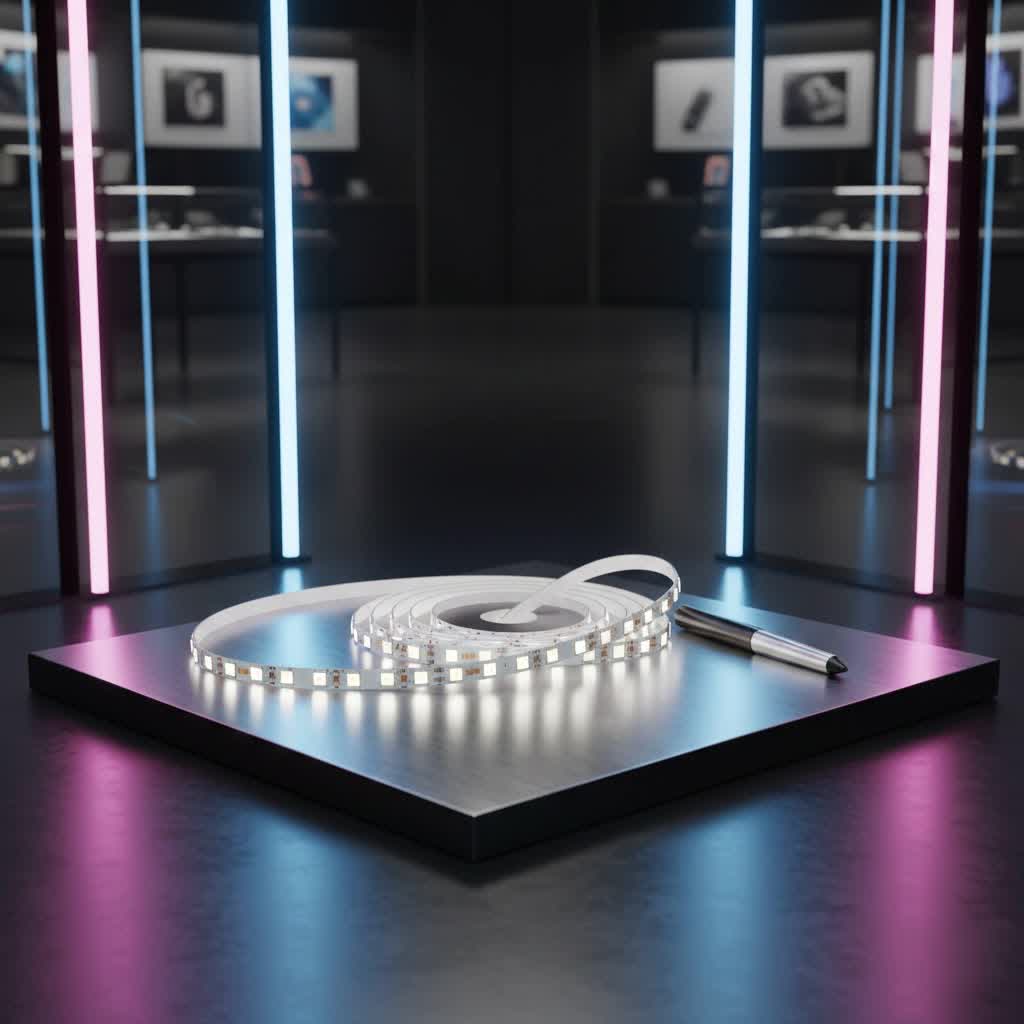
These little wonders have revolutionized how we approach accent lighting, making it accessible and fun for everyone. Forget complicated wiring and bulky power supplies; with a USB LED strip, you’re tapping into a universe of easy-to-customize illumination that’s ready to go almost anywhere. Let’s dive deep into everything you need to know to master these fantastic lights.
What Makes USB LED Light Strips So Special?
At its core, a USB LED light strip is a flexible circuit board adorned with tiny Light Emitting Diodes, designed to draw power directly from a Universal Serial Bus (USB) port. This ingenious design means you can power your lighting from a vast array of common sources – think TV sets, computer monitors, power banks, or even a standard wall adapter. The magic lies in the ubiquitous 5V DC power supplied by USB, making these strips incredibly convenient and safe for a myriad of applications.
While all LED strips share the same fundamental technology, USB-powered versions are specifically engineered to operate efficiently on lower voltage. You’ll typically find them in various types:
- Single-Color Strips: Offering a consistent hue, perfect for subtle accent lighting or functional tasks.
- RGB (Red, Green, Blue) Strips: These allow you to mix primary colors to create a spectrum of shades, ideal for mood lighting or dynamic effects.
- Addressable RGB Strips: The rockstars of customization, enabling individual control over each LED chip for dazzling patterns, chasing effects, and animations.
- COB (Chip-on-Board) LED Strips: Delivering a seamless, dot-free line of light, these are favored for premium applications where a smooth, continuous glow is desired.
Understanding USB power is key. Standard USB 2.0 ports generally supply up to 500mA (0.5A), while USB 3.0 and 3.1 ports can offer up to 900mA (0.9A). With the advent of USB-C and Power Delivery, some ports can even provide 3A or more. Matching your strip’s power needs to your USB source is crucial for optimal performance and longevity. “Always check the current rating of your USB power source,” advises Liam Thompson, a seasoned LED lighting specialist. “An underpowered strip will be dim, and an overloaded port can lead to damage.”
Choosing the Perfect USB LED Strip for Your Needs
Selecting the right USB LED light strip might seem daunting with so many options, but it boils down to a few key considerations:
- Voltage is Non-Negotiable: This is the golden rule for USB strips: always ensure you choose a 5V LED strip. Standard USB ports only supply 5 volts, and attempting to power a 12V or 24V strip directly from USB will simply not work, or worse, could damage your devices.
- Power Consumption and Length: The length of your strip and its LED density (how many LEDs per meter) directly impact its power draw. A standard USB 3.0 port can typically handle about 1 to 2 meters of a 5V LED strip with 30 LEDs per meter. If you need longer runs or brighter lights, consider a powered USB hub or a dedicated 5V power adapter with a higher current output (measured in Amperes). It’s like pouring water – a bigger pipe (higher amperage) lets more water (power) flow to a longer garden hose (LED strip).
- Features that Elevate Your Experience:
- Color Control: Decide if you want a simple single-color glow, or the dynamic color-changing capabilities of RGB or addressable RGB strips, which often come with compact controllers for easy mode and color selection.
- Durability: Look for an appropriate IP (Ingress Protection) rating. While many indoor USB strips are fine without special protection, if you’re thinking about using them in a bathroom or near a sink, an IP65 or higher rating ensures resistance against splashes and dust.
- Smart Integration: Some advanced USB LED strips integrate with smart home systems, allowing voice control or app-based scheduling, which brings incredible convenience and energy efficiency.
Essential Tools and Materials for Your USB LED Strip Project
One of the best aspects of working with USB LED light strips is the minimal toolkit required. Most projects are genuinely DIY-friendly. Here’s what you’ll likely need:
- A 5V LED Strip: The star of our show, cut to your desired length along the marked lines.
- USB Cable (to bare wires): Often, strips come with a USB connector. If not, a USB-A or USB-C cable where you can expose the red (+5V) and black (ground) wires.
- Wire Strippers: For neatly preparing the cable ends.
- Soldering Iron and Solder (Optional but Recommended): For a robust, professional connection, especially if your strip doesn’t have pre-attached connectors. If soldering isn’t your forte, solderless connectors are a great alternative.
- Heat Shrink Tubing or Electrical Tape: Essential for insulating and protecting your connections.
- Multimeter (Highly Recommended): A simple tool to verify voltage and polarity, preventing accidental short circuits.
- Scissors: For precise cuts along the designated lines on the LED strip.
- Mounting Clips or Channels: While most strips have adhesive backing, clips or aluminum channels can provide extra security and a polished look.
Step-by-Step Installation: Lighting Up Your Space with USB LED Strips
Ready to get glowing? Here’s my tried-and-true guide for installing your USB LED light strip:
Step 1: Planning and Measuring
Before you peel any adhesive, take a moment to plan.
- Determine Placement: Where do you envision your new lighting? Under a desk? Behind your TV? Along a shelf?
- Measure Accurately: Use a tape measure to get the exact length you need. Remember, LED strips can only be cut at designated points, usually marked with a scissor icon or copper pads. Cutting anywhere else will damage the circuit and render a section unusable.
|
Our Picks for the Best LED Strip in 2026
As an Amazon Associate I earn from qualifying purchases.
|
||
| Num | Product | Action |
|---|---|---|
| 1 | Govee RGBIC LED Strip Lights, Smart LED Lights for Bedroom, Bluetooth LED Lights APP Control, DIY Multiple Colors on One Line, Color Changing LED Strip Lighting Music Sync, Home Decor, 16.4ft |

|
| 2 | KANTUTOE LED Lights for TV, 16.4ft LED Lights for 45-75 Inch TVs, RGB TV Backlight Behind, Music Sync Bluetooth APP & Remote Control Strip Lights USB Powered for Bedroom, Gaming, Home Décor |
|
| 3 | Govee Warm White LED Strip Lights, Bright 300 LEDs, 3000K Dimmable Light Strip 16.4ft with Control Box, LED Lights for Bedroom, Kitchen Cabinets, Living Room, ETL Listed Adapter Included |
|
| 4 | Aclorol LED Strip Lights 5V USB 6.56FT/2M 640 LEDs Blue Indoor Rope Lights for Bedroom Not Waterproof IP20 CRI85+ Flexible LED Light for TV Backlight Living Room Party DIY Lighting |
|
| 5 | KSIPZE 100ft Led Strip Lights RGB Music Sync Color Changing Led Lights with Smart App Control Remote Led Lights for Bedroom Room Lighting Flexible Home Décor |
|
| 6 | Govee RGBIC LED Strip Lights, 32.8ft Smart LED Lights for Bedroom, Bluetooth LED Lights APP Control, DIY Multiple Colors on One Line, Color Changing LED Strip Lighting Music Sync, Home Decor |
|
| 7 | Govee Smart RGB LED Strip Lights for Bedroom, 32.8ft WiFi LED Light Strip Work with Alexa Google Assistant, 16 Million Colors with App Control and Music Sync Lights for Home Decor, 2 Rolls of 16.4ft |
|
| 8 | VOEWT LED Neon Lights Daylight White 6000K,9.8ft 110-120V LED Strip Lights,Flexible Outdoor Waterproof Neon Rope Lights for Bedroom,Cabinet,Kitchen,Living Room,Mirror,Halloween Decor |
|
| 9 | Tenmiro Led Lights for Bedroom 100ft (2 Rolls of 50ft) Music Sync Color Changing Strip Lights with Remote and App Control RGB Strip, for Room Home Party Decoration |
|
| 10 | Govee 100ft RGBIC LED Strip Lights, Smart LED Lights Work with Alexa and Google Assistant, LED Lights for Bedroom WiFi App Control Segmented DIY Multiple Colors, Color Changing Light, (2 x 50ft) |
|
Step 2: Preparing Your Strip and Cable
If your USB cable isn’t pre-attached, you’ll need to prepare the connections.
- Prepare the USB Cable: Carefully cut off the non-USB end. Strip about an inch of the outer insulation to expose the inner wires. You’ll typically find four wires: red (+5V), black (ground), white (data-), and green (data+). For powering your LED strip, you only need the red and black wires. Insulate or trim the white and green wires to prevent any accidental contact.
- Prepare the LED Strip: Identify the input end of your strip – this is usually marked with “+”, “-” or specific arrows. If you cut the strip, ensure the copper contact pads are clean and fully exposed.
Step 3: Connecting the Power
This is where your USB power meets your LED strip.
- Align and Connect: Carefully align the red wire from your USB cable to the positive (+) contact on your LED strip, and the black wire to the negative (-) contact. Polarity is critical!
- Secure the Connection:
- Soldering: For the most reliable and durable connection, solder the wires directly to the copper pads. This creates a strong electrical bond.
- Solderless Connectors: If you’re not comfortable with soldering, many strips come with or are compatible with easy-to-use snap-on or clamp-style connectors. Ensure the wires are fully inserted and make solid contact.
- Insulate: Once connected, slide heat shrink tubing over the soldered joints and heat it until it shrinks tightly, or meticulously wrap the connections with electrical tape. This prevents short circuits and protects the connection from wear and tear.
⚠️ Safety Reminder: Always disconnect your USB cable from any power source before making or adjusting connections. Proper insulation is paramount to prevent short circuits and ensure safe operation. Never exceed the power limitations of your USB port or LED strip. If you’re ever unsure, it’s best to consult an experienced electrician or lighting professional.
Step 4: Secure Mounting
Now, it’s time to bring your vision to life!
- Clean the Surface: This step is often overlooked but is absolutely vital. Dust, grease, or dirt will compromise the adhesive. Wipe down your mounting surface with a clean, dry cloth or an alcohol wipe and let it dry completely.
- Peel and Stick: Gently peel back the adhesive backing from your LED strip, pressing it firmly onto your cleaned surface as you go. Apply even pressure along the entire length.
- Add Extra Security: For heavier strips, rough surfaces, or in areas with potential movement (like a gaming desk), consider using additional mounting clips for extra hold.
Step 5: Testing Your Setup
The moment of truth!
- Plug It In: Connect your USB cable to your chosen power source (TV, computer, wall adapter, power bank).
- Verify Functionality: Check that the strip lights up evenly and correctly. If it’s an RGB strip, cycle through colors and modes.
- Troubleshoot if Needed: If something doesn’t look right, refer to the troubleshooting section below. Often, it’s a simple fix!
Creative Applications for USB LED Light Strips
The beauty of the USB LED light strip lies in its adaptability. Here are some of my favorite ways to use them, inspiring you to unleash your inner lighting designer:
- Transform Your Gaming and Entertainment Zone:
- TV Backlighting: Reduce eye strain and enhance contrast by adding a bias light behind your television. It creates a captivating glow that makes movies and games pop.
- Monitor Ambiance: Outline your computer monitor for an immersive gaming experience or to add a professional touch to your workspace.
- PC Case Modding: Give your gaming rig a custom, futuristic look by lining the inside of your computer case.
- Elevate Your Home Ambiance:
- Under-Cabinet Lighting: Brighten up kitchen countertops, highlight display shelves, or create a cozy glow in bedrooms.
- Mirror and Vanity Illumination: Achieve perfect lighting for grooming or makeup application.
- Bedside and Headboard Accents: Add soft, indirect lighting that’s perfect for winding down.
- Art and Display Nook Highlight: Draw attention to your favorite artwork or decorative items.
- Portable and Practical Solutions:
- Camping and Outdoor Adventures: Connect to a power bank for portable, energy-efficient lighting in tents or around your campsite.
- Emergency Lighting: A charged power bank and a USB LED strip can be a lifesaver during power outages.
- Closet and Drawer Lighting: Easily illuminate dark spaces without needing an electrical outlet nearby.
- Enhancements for a Polished Look:
- Adding a Switch or Dimmer: Simple inline USB switches or dimmers provide convenient control over your lights without needing to unplug them.
- Diffuser Channels: For a truly professional and seamless look, install your LED strips within aluminum or silicone diffuser channels. These hide individual LED dots and create a smooth, continuous line of light.
Keeping Your Lights Bright: Maintenance and Troubleshooting
While USB LED light strips are known for their durability, a little care goes a long way.
Maintenance Tips for Longevity:
- Handle with Care: Avoid bending the strip sharply, as this can damage the delicate internal circuits.
- Keep it Cool and Dry: Ensure the USB power supply and any controllers are kept away from moisture and excessive heat.
- Gentle Cleaning: Occasionally, dust your strip with a soft, dry cloth to maintain brightness.
- Protect Outdoor Strips: For outdoor applications, always use strips with appropriate IP ratings (e.g., IP65, IP67, IP68) and consider LED strip silicone covers for added protection against the elements.
Troubleshooting Common Problems:
Don’t panic if your lights aren’t quite right. Most issues are easily fixable:
- Flickering Lights:
- The Problem: This is almost always a sign of insufficient power. Your USB port might not be supplying enough current for the length or density of your strip.
- The Fix: Try plugging the strip into a different, more powerful USB port (e.g., a USB 3.0 port instead of 2.0, or a dedicated wall adapter with higher amperage). If using a power bank, ensure it’s sufficiently charged.
- Uneven Brightness (Dim at One End):
- The Problem: Similar to flickering, this often indicates voltage drop over a longer strip. The power isn’t reaching the far end effectively.
- The Fix: Shorten the strip if possible, or split it into two shorter runs, each powered separately. Alternatively, consider a thicker gauge USB extension cable to minimize resistance over longer distances.
- Not Sticking Properly:
- The Problem: The adhesive isn’t holding, likely due to a dirty surface, humidity, or a heavy strip.
- The Fix: Thoroughly clean the surface with rubbing alcohol before reattaching. For added security, use mounting clips or strong double-sided tape specifically designed for high-hold applications.
- Incorrect Colors (for RGB Strips):
- The Problem: Your RGB strip isn’t displaying the correct colors, or some colors are missing.
- The Fix: This points to a wiring issue. Double-check that your RGB controller (if applicable) and the strip’s connections have the correct positive and negative alignments for each color channel. A red wire connected to the blue channel, for instance, will definitely throw things off!
Frequently Asked Questions (FAQ)
1. Can any LED strip be powered by a USB cable?
No, not all LED strips are compatible with USB power. You must use a 5V LED strip. Standard USB ports provide 5 volts, so 12V or 24V strips will not work directly and require a separate voltage converter or power supply.
2. How long of an LED strip can I power with USB?
The maximum length depends on the strip’s power consumption and the USB port’s current capacity. Typically, a standard 5V LED strip with 30 LEDs per meter can be powered up to 1-2 meters using a USB 3.0 port (900mA). For longer lengths, you’ll need a higher amperage 5V power supply or a powered USB hub.
3. Do I need a special controller for USB-powered LED strips?
For single-color USB LED strips, a controller isn’t necessary; they light up directly when powered. However, for RGB or addressable USB LED strips, you will need a small controller to change colors, modes, or create effects. Many USB-powered controllers are specifically designed for this purpose and simply plug in between your USB power source and the LED strip.
4. Is it safe to leave USB LED strips on continuously?
Yes, USB LED strips are generally very safe for continuous operation. LEDs are energy-efficient and produce minimal heat. However, turning them off when not needed will conserve energy and can extend the overall lifespan of the LEDs. Smart plugs or timers can automate this for convenience.
5. Can I use a phone charger to power USB LED strips?
Absolutely! Most modern phone chargers are essentially USB wall adapters that output 5V and typically provide 1A or more, making them suitable for powering short to medium-length USB LED strips. Just ensure the charger provides sufficient current for your specific strip to avoid flickering or dimness.
Final Thoughts
The humble USB LED light strip offers an incredible blend of affordability, flexibility, and creative potential. Whether you’re a seasoned DIYer or just dipping your toes into the world of custom lighting, these strips provide a fantastic starting point for transforming any corner of your home, office, or even your gaming setup. From creating a warm, inviting glow to crafting dynamic, eye-catching effects, the possibilities are truly endless.
By understanding the basics of USB power, making smart choices about your strip, and following these straightforward installation and maintenance tips, you’re well on your way to becoming an LED lighting maestro. So go ahead, experiment, innovate, and illuminate your space with confidence and flair. And don’t forget to share your brilliant creations with the NamsP community – we love to see how you’re lighting up the world!
