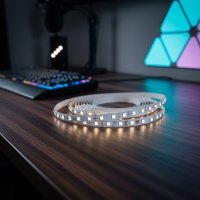
Have you ever walked into a room and thought, “This space just needs a little something extra?” That’s where LED strip lights come in! These versatile, energy-efficient wonders have exploded in popularity, offering a simple yet powerful way to transform any area in your home. And if you’re looking for a one-stop shop to explore the vast array of options, Home Depot LED strip lights are an excellent place to start. From subtle accent lighting to vibrant color-changing displays, Home Depot offers a fantastic selection for every DIY enthusiast and seasoned decorator.

Here at NamsP, with over a decade of hands-on experience in LED strip design, installation, and repair, I’ve seen firsthand how these lights can elevate a home. This guide will walk you through everything you need to know about choosing, installing, and creatively using Home Depot LED strip lights to make your living spaces truly shine. For more led strip guides on this site.
Understanding Home Depot LED Strip Lights: A Range for Every Project
Home Depot boasts a diverse collection of LED strip lights from various reputable brands, catering to virtually any lighting need or aesthetic preference. You’ll find popular names like EcoSmart, Commercial Electric, Govee, Philips Hue, and LIFX, each offering unique features and specialties.
What Types of LED Strip Lights Does Home Depot Offer?
When you explore Home Depot’s selection, you’ll encounter a variety of LED strip types designed for different applications:
- Color-Changing (RGB/RGBIC): These strips allow you to switch between millions of colors, perfect for creating dynamic moods or festive atmospheres. RGBIC strips offer individual LED control for more complex lighting effects. Brands like EcoSmart, Govee, and Energizer offer multi-colored smart options.
- Tunable White: If you prefer white light but want flexibility, tunable white strips let you adjust the color temperature from warm (yellowish) to cool (bluish) white. This is ideal for adapting lighting to different times of day or activities. Commercial Electric offers such tunable white options.
- Smart LED Strips: Many Home Depot LED strip lights integrate with smart home systems like Amazon Alexa and Google Assistant, allowing for voice control, scheduling, and remote operation via smartphone apps. Energizer’s smart strips, for instance, connect to Wi-Fi for voice control and app functionality.
- Dimmable Options: Most LED strip lights available at Home Depot are dimmable, allowing you to control the brightness to set the perfect ambiance. This feature is often controlled via a remote or a smart app.
- Indoor vs. Outdoor: It’s crucial to select strips rated for the environment. Indoor strips are generally not waterproof, while outdoor-rated strips (look for an IP rating) are designed to withstand moisture and elements.
- Power Sources: You’ll find both plug-in kits, which are easy to set up near an outlet, and hardwire options for a more integrated, permanent installation, especially for under-cabinet lighting.
What Key Features Should You Look For?
|
Our Picks for the Best LED Strip in 2026
As an Amazon Associate I earn from qualifying purchases.
|
||
| Num | Product | Action |
|---|---|---|
| 1 | Govee 100ft RGBIC LED Strip Lights, Smart LED Lights Work with Alexa and Google Assistant, LED Lights for Bedroom WiFi App Control Segmented DIY Multiple Colors, Color Changing Light, (2 x 50ft) |

|
| 2 | KANTUTOE LED Lights for TV, 16.4ft LED Lights for 45-75 Inch TVs, RGB TV Backlight Behind, Music Sync Bluetooth APP & Remote Control Strip Lights USB Powered for Bedroom, Gaming, Home Décor |
|
| 3 | Govee RGBIC LED Strip Lights, Smart LED Lights for Bedroom, Bluetooth LED Lights APP Control, DIY Multiple Colors on One Line, Color Changing LED Strip Lighting Music Sync, Home Decor, 16.4ft |
|
| 4 | Aclorol LED Strip Lights 5V USB 6.56FT/2M 640 LEDs Blue Indoor Rope Lights for Bedroom Not Waterproof IP20 CRI85+ Flexible LED Light for TV Backlight Living Room Party DIY Lighting |
|
| 5 | Govee Warm White LED Strip Lights, Bright 300 LEDs, 3000K Dimmable Light Strip 16.4ft with Control Box, LED Lights for Bedroom, Kitchen Cabinets, Living Room, ETL Listed Adapter Included |
|
| 6 | Govee Smart RGB LED Strip Lights for Bedroom, 32.8ft WiFi LED Light Strip Work with Alexa Google Assistant, 16 Million Colors with App Control and Music Sync Lights for Home Decor, 2 Rolls of 16.4ft |
|
| 7 | Tenmiro Led Lights for Bedroom 100ft (2 Rolls of 50ft) Music Sync Color Changing Strip Lights with Remote and App Control RGB Strip, for Room Home Party Decoration |
|
| 8 | Govee RGBIC LED Strip Lights, 32.8ft Smart LED Lights for Bedroom, Bluetooth LED Lights APP Control, DIY Multiple Colors on One Line, Color Changing LED Strip Lighting Music Sync, Home Decor |
|
| 9 | VOEWT LED Neon Lights Daylight White 6000K,9.8ft 110-120V LED Strip Lights,Flexible Outdoor Waterproof Neon Rope Lights for Bedroom,Cabinet,Kitchen,Living Room,Mirror,Halloween Decor |
|
| 10 | KSIPZE 100ft Led Strip Lights RGB Music Sync Color Changing Led Lights with Smart App Control Remote Led Lights for Bedroom Room Lighting Flexible Home Décor |
|
Choosing the right Home Depot LED strip involves more than just picking a color. Consider these essential features:
- Brightness (Lumens): This indicates how much light the strip produces. Higher lumens mean brighter light, suitable for task lighting.
- Length and Cut-ability: LED strips come in various lengths, and most can be cut at designated marks (usually indicated by a “scissors” symbol or copper dots) to fit your specific space. Always check manufacturer instructions for safe cutting guidelines.
- Control Options: Do you prefer a simple remote control, a smartphone app for advanced features, or voice control through a smart assistant?
- Adhesive Quality: Many strips come with pre-attached 3M adhesive. While often strong, some users report issues with adhesion over time, especially on certain surfaces.
- Durability: Longevity can vary between brands and products. Reviews at Home Depot sometimes highlight concerns about lights burning out or flickering after a few months.
Choosing the Right Home Depot LED Strip for Your Needs
Picking the perfect LED strip from Home Depot can feel like a small adventure, but by asking yourself a few questions, you can narrow down the choices and find exactly what you need.
What’s Your Vision?
First, think about the primary purpose of your LED strip lights:
- Accent Lighting: If you’re looking to highlight architectural features, shelves, artwork, or behind a TV, consider less intense, more flexible strips. These often provide a soft glow that enhances depth and visual interest.
- Task Lighting: For areas like kitchen countertops or workshop benches where you need clear, functional illumination, opt for brighter, higher-lumen white LED strips. Many Commercial Electric options are praised for their brightness in under-cabinet applications.
- Ambient Lighting: To add a general, comfortable glow to a room, dimmable white or tunable white strips work wonderfully. They can create a relaxing atmosphere in bedrooms or living areas.
- Decorative/Mood Lighting: If you want to inject personality and excitement with color, smart RGB or RGBIC strips are your best bet. These are fantastic for gaming setups, entertainment centers, or party moods.
Consider the Specs
Once you have a general idea of the application, dive into the technical details:
- Brightness & Color Temperature: For general ambient light, a warm white (around 2700K-3000K) is cozy, while a cool white (4000K-5000K) is more modern and energizing. Tunable white gives you both. Color-changing strips offer the full spectrum.
- Length & Linkability: Measure your space precisely. Remember that some strips can be linked together using connector kits to span larger areas or go around corners. Home Depot offers accessory kits with various connectors.
- Smart Home Integration: If you’re already invested in a smart home ecosystem, check for compatibility with Alexa, Google Assistant, or Apple HomeKit to seamlessly control your lights. Energizer’s smart strips, for example, integrate with Alexa and Google Assistant.
- Indoor vs. Outdoor Use: Always ensure the strip’s IP rating matches your environment. For outdoor use, a higher IP rating (e.g., IP65 or IP67) indicates better protection against dust and water.
“Choosing the right LED strip isn’t just about lumens; it’s about matching the light to the life you want to live in that space,” advises Elena Petrova, a veteran lighting designer. “Think about how you use the room, the mood you want to evoke, and then find a strip that brings that vision to light.”
Installation Made Easy: Your Home Depot LED Strip Setup Guide
Installing Home Depot LED strip lights is a gratifying DIY project that most beginners can tackle with confidence. It’s often quicker and simpler than you might imagine, taking less than two hours for many applications.
Gather Your Tools & Prep the Space
Before you begin, gather these essentials to ensure a smooth installation:
- Plug-in or Wireless LED Strip Lights: Make sure they can be cut to fit your measurements.
- Light Strip Connector Kit: If you need to join multiple strips or go around corners.
- Measuring Tape: For precise measurements.
- Scissors: Sharp ones for clean cuts at designated marks.
- Cleaning Cloth & Degreaser/Dish Soap: To ensure a clean, dry surface for optimal adhesion.
- Ladder or Step Ladder: If installing in high places.
- Adhesive Strips or Mounting Clips (Optional): As a backup if the pre-attached adhesive isn’t strong enough.
Preparation is Key:
Decide exactly where your accent lighting will go. Measure the length carefully, double-checking your numbers. Before applying, it’s a smart move to test your LED strip by plugging it in to ensure it works. This helps avoid rework later.
Step-by-Step Installation
Here’s how to install your Home Depot LED strip lights:
- Measure and Mark: Use your tape measure to determine the exact length needed for your installation area. Mark the starting and ending points.
- Clean the Surface: LED strip lights adhere best to clean, dry, smooth surfaces. Use a solution of degreaser or dish soap and warm water, then dry thoroughly with a clean cloth. This is a crucial step that many DIYers skip, leading to adhesive failure.
- Cut to Length: If your strip is too long, unplug it and locate the designated cut marks (often a “scissors” icon or copper dots). Carefully cut along these marks with scissors. Always consult your manufacturer’s instructions for specific cutting directions.
- Peel and Stick: Start from the power supply end of the strip. Peel off a small section of the adhesive backing at a time (about 6-12 inches). Press the strip firmly onto your cleaned surface, smoothing it out as you go. Apply pressure for 10-15 seconds on each section to ensure a strong bond.
- Connect & Power Up: If you’re using multiple strips or need to go around corners, use a light strip connector kit. Carefully slide the cut ends of the strips into the connectors, ensuring a secure fit and correct polarity. Then, plug your strip into a nearby power outlet or turn on your wireless option.
- Test the Lights & Troubleshoot: Once installed, turn on your lights to ensure everything works as expected. If they flicker or don’t turn on, unplug, wait 10 seconds, and re-check connections and remote batteries.
Expert Tip: Enhancing Adhesive Reliability
“While many Home Depot LED strips come with decent 3M adhesive, surfaces vary,” notes Mark Johnson, a DIY expert and NamsP contributor. “For long-term reliability, especially on textured or frequently handled surfaces, consider supplementing the adhesive with extra double-sided foam tape or small mounting clips. Cleanliness of the surface cannot be overstated; it’s the single biggest factor in adhesive success.”
Maximizing Life & Troubleshooting Common Issues
Even with the best Home Depot LED strip lights, proper care and knowing how to troubleshoot can significantly extend their lifespan and keep them shining bright.
Maintenance Tips
LED strips are generally low-maintenance, but a few habits can go a long way:
- Gentle Cleaning: If dust accumulates, gently wipe the strips with a soft, dry cloth. Avoid harsh chemicals or excessive moisture, especially if your strips are not waterproof.
- Avoiding Over-bending: LED strips are flexible, but extreme bending or sharp angles can damage the internal circuits. Use corner connectors for turns.
- Proper Power Supply: Always use the power supply provided with your Home Depot LED strip kit, or one with matching voltage and sufficient wattage. Using an incorrect power supply can lead to damage or reduced lifespan.
Common Troubleshooting
Here are quick fixes for issues you might encounter:
- Lights Not Working or Flickering:
- Check Power: Ensure the strip is plugged in securely and the outlet is working. For hardwired options, check your circuit breaker.
- Connections: If you’ve cut and connected multiple strips, gently press on the connectors to ensure a firm connection. Polarity (positive to positive, negative to negative) is vital for proper function.
- Remote Battery: If using a remote control, check and replace its battery if needed.
- Adhesive Failing:
- Surface Preparation: Re-evaluate if the surface was truly clean and dry. Residues can severely impact adhesion.
- Reinforce: For stubborn areas, consider using stronger double-sided tape, silicone adhesive, or mounting clips to secure the strip permanently. This is a common feedback point in Home Depot LED strip reviews.
- Inconsistent Color/Brightness:
- Connections/Polarity: Again, check all connections, especially if you’ve linked multiple sections. Incorrect polarity can cause odd color outputs.
- Controller Issues: If you’re using a smart controller, ensure it’s properly connected to Wi-Fi (often 2.4 GHz networks are required) and the app is up to date.
Creative Ideas: Transforming Your Home with LED Strips
The beauty of Home Depot LED strip lights lies in their versatility. They’re not just for under-cabinet lighting; they’re a canvas for your imagination!
- Under Cabinet Lighting in the Kitchen: This is a classic for a reason! LED strips provide excellent task lighting, eliminating shadows and making food prep a breeze. Tunable white strips can go from bright task light to a warm evening glow.
- Backlighting TVs and Monitors: Create a captivating glow behind your entertainment center. This reduces eye strain and enhances the perceived contrast of your screen, making movie nights feel more immersive. Color-changing Govee or LIFX strips from Home Depot are perfect here.
- Shelf and Display Accentuation: Highlight collectibles, books, or decorative items in shelving units. LED strips can add depth and draw attention to your prized possessions.
- Stairway and Hallway Safety/Ambience: Install strips along stair treads or under handrails for both safety and a touch of modern elegance. It’s a subtle way to illuminate pathways.
- Bedroom Mood Lighting: Soft, dimmable LED strips behind headboards or along crown molding can create a serene and relaxing atmosphere, perfect for unwinding after a long day. Smart strips allow you to change colors to match your mood.
“I’ve used Home Depot LED strips in countless projects, from subtle kitchen upgrades to wild gaming room setups,” says Clara Bennett, a NamsP DIY community manager. “They’re incredibly forgiving and offer a huge impact for a relatively small investment. Don’t be afraid to experiment!”
Frequently Asked Questions About Home Depot LED Strips
Can Home Depot LED strips be cut to size?
Yes, most Home Depot LED strip lights are designed to be cut to your desired length. Look for designated cut marks, usually indicated by a “scissors” symbol or copper dots, to ensure a safe and proper cut. Always unplug the strip before cutting.
Do Home Depot LED strips come with remotes?
Many Home Depot LED strip light kits include a remote control for adjusting brightness, color, and various lighting modes. Smart LED strips often also offer control via a smartphone app and voice assistants like Alexa or Google Assistant.
Are Home Depot LED strips easy to install for beginners?
Absolutely! Installing Home Depot LED strip lights is considered a beginner-level DIY project. The process typically involves cleaning the surface, peeling off the adhesive backing, sticking the strip in place, and connecting it to a power source. Most installations can be completed in under two hours.
What brands of smart LED strips does Home Depot carry?
Home Depot carries several popular brands of smart LED strips, including Govee, Philips Hue, LIFX, and Energizer. These brands often offer features like Wi-Fi connectivity, app control, and compatibility with smart home systems like Alexa and Google Assistant.
How long do Home Depot LED strips typically last?
The lifespan of Home Depot LED strips can vary by brand and model, but many are rated for tens of thousands of hours of use, often up to 25,000-50,000 hours. However, some customer reviews indicate that durability can be a concern for certain products, with individual LEDs burning out or flickering after a shorter period.
Light Up Your Life with Home Depot LED Strips
Home Depot LED strip lights offer a fantastic opportunity to enhance your home’s aesthetics, functionality, and ambiance with ease. Whether you’re aiming for a practical under-cabinet glow, a vibrant gaming setup, or a serene bedroom retreat, the versatility and accessibility of these lighting solutions make them a top choice for any homeowner. By understanding the different types available, choosing wisely, and following simple installation and maintenance tips, you can confidently embark on your next lighting project.
So, head over to Home Depot, explore their impressive selection, and get ready to illuminate your world. Don’t forget to share your dazzling LED strip creations with us at NamsP – we love seeing your brilliant DIY transformations!
Get our weekly buyer guide
Practical specs, not advice. Unsubscribe anytime.