RGB LED strips are flexible circuit boards with light-emitting diodes that produce red, green, and blue light, capable of generating millions of colors by mixing these primaries. These versatile lights offer energy efficiency, a long lifespan of tens of thousands of hours, and design flexibility, making them a popular choice for modern home and commercial decor. They consume significantly less power than traditional incandescent bulbs, leading to lower electricity bills and a reduced carbon footprint.
What Exactly Are RGB LED Strips?
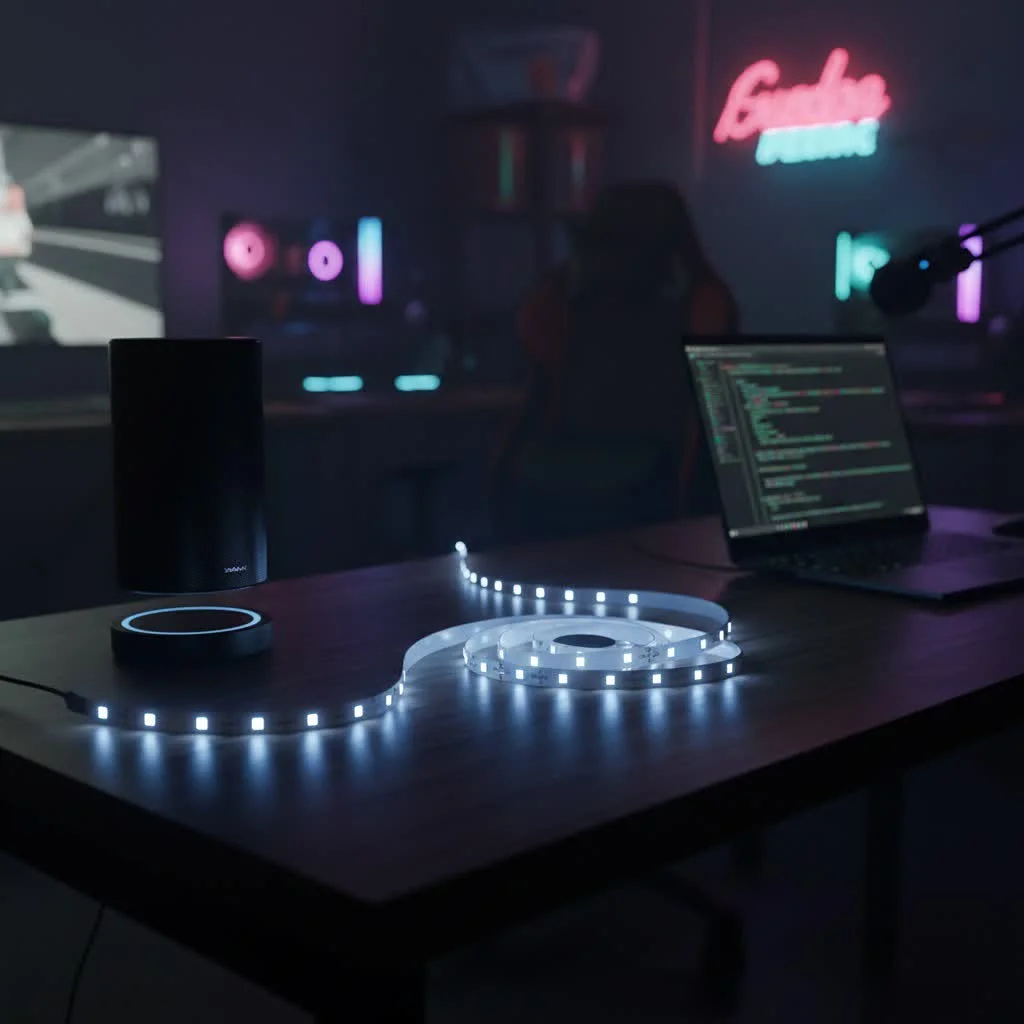
At its core, an RGB LED strip is a flexible circuit board populated with light-emitting diodes that can produce red (R), green (G), and blue (B) light. By mixing these three primary colors in varying intensities, an RGB LED strip can generate millions of different hues, from subtle pastels to vibrant, saturated tones. This color-mixing capability is what gives RGB strips their incredible versatility and appeal. For explore our led strip reviews on this site.
Beyond Basic RGB: Understanding RGBW, RGBIC, and RGBCCT
While standard RGB strips are fantastic for creating a spectrum of colors, the LED world has evolved, offering even more sophisticated options:
- RGBW (Red, Green, Blue, White): These strips include a dedicated white LED in addition to the RGB diodes. Why is this a big deal? Because mixing red, green, and blue can create an approximate white, but it’s often not a pure, crisp white. RGBW strips provide a true white light, offering better brightness and more accurate white tones for everyday illumination, alongside all the vibrant colors.
- RGBIC (Red, Green, Blue + Independent Control): Here’s where things get really exciting! RGBIC strips feature an integrated circuit (IC) chip that allows individual segments of the strip to display different colors simultaneously. Instead of the entire strip being one color, you can have dynamic, “chasing” effects, rainbow gradients, and intricate patterns. It’s like having a mini light show built right into your strip!
- RGBCCT (Red, Green, Blue + Correlated Color Temperature): The most advanced of the bunch, RGBCCT strips combine RGB capabilities with CCT (tunable white) functionality. This means you get all the millions of RGB colors, plus the ability to adjust the white light from warm (cozy, yellowish) to cool (bright, bluish) temperatures. It’s the ultimate in lighting control, allowing you to perfectly match your lighting to any mood or task.
Why Choose RGB LED Strips for Your Space?
RGB LED strips aren’t just a trend; they offer practical benefits that make them an excellent choice for modern lighting.
Unleash a Spectrum of Colors
Imagine transforming your living room from a warm, inviting amber for movie night to a cool, energetic blue for a party, all with a tap on your phone. RGB LED strips give you unparalleled creative freedom to set any mood or ambiance you desire. Whether you’re decorating for a cozy night in, a vibrant celebration, or simply want to add a unique accent, the possibilities are endless.
Energy Efficiency and Longevity
|
Our Picks for the Best LED Strip in 2026
As an Amazon Associate I earn from qualifying purchases.
|
||
| Num | Product | Action |
|---|---|---|
| 1 | Govee Smart RGB LED Strip Lights for Bedroom, 32.8ft WiFi LED Light Strip Work with Alexa Google Assistant, 16 Million Colors with App Control and Music Sync Lights for Home Decor, 2 Rolls of 16.4ft |

|
| 2 | VOEWT LED Neon Lights Daylight White 6000K,9.8ft 110-120V LED Strip Lights,Flexible Outdoor Waterproof Neon Rope Lights for Bedroom,Cabinet,Kitchen,Living Room,Mirror,Halloween Decor |
|
| 3 | KANTUTOE LED Lights for TV, 16.4ft LED Lights for 45-75 Inch TVs, RGB TV Backlight Behind, Music Sync Bluetooth APP & Remote Control Strip Lights USB Powered for Bedroom, Gaming, Home Décor |
|
| 4 | Govee Warm White LED Strip Lights, Bright 300 LEDs, 3000K Dimmable Light Strip 16.4ft with Control Box, LED Lights for Bedroom, Kitchen Cabinets, Living Room, ETL Listed Adapter Included |
|
| 5 | Tenmiro Led Lights for Bedroom 100ft (2 Rolls of 50ft) Music Sync Color Changing Strip Lights with Remote and App Control RGB Strip, for Room Home Party Decoration |
|
| 6 | Govee RGBIC LED Strip Lights, Smart LED Lights for Bedroom, Bluetooth LED Lights APP Control, DIY Multiple Colors on One Line, Color Changing LED Strip Lighting Music Sync, Home Decor, 16.4ft |
|
| 7 | Govee 100ft RGBIC LED Strip Lights, Smart LED Lights Work with Alexa and Google Assistant, LED Lights for Bedroom WiFi App Control Segmented DIY Multiple Colors, Color Changing Light, (2 x 50ft) |
|
| 8 | KSIPZE 100ft Led Strip Lights RGB Music Sync Color Changing Led Lights with Smart App Control Remote Led Lights for Bedroom Room Lighting Flexible Home Décor |
|
| 9 | Aclorol LED Strip Lights 5V USB 6.56FT/2M 640 LEDs Blue Indoor Rope Lights for Bedroom Not Waterproof IP20 CRI85+ Flexible LED Light for TV Backlight Living Room Party DIY Lighting |
|
| 10 | Govee RGBIC LED Strip Lights, 32.8ft Smart LED Lights for Bedroom, Bluetooth LED Lights APP Control, DIY Multiple Colors on One Line, Color Changing LED Strip Lighting Music Sync, Home Decor |
|
Like all LED lighting, RGB strips are incredibly energy-efficient, consuming significantly less power than traditional incandescent bulbs. This translates to lower electricity bills and a smaller carbon footprint. Plus, LEDs boast an impressively long lifespan, often lasting tens of thousands of hours. Once installed, you won’t have to worry about frequent replacements, saving you time and effort in the long run.
Versatility in Design and Application
The flexible nature of LED strips means they can be installed almost anywhere. They can bend around corners, conform to irregular shapes, and be cut to specific lengths, making them perfect for custom installations. From subtle backlighting to dramatic accent pieces, RGB LED strips integrate seamlessly into various design styles, whether you’re aiming for a minimalist, industrial, or bohemian aesthetic.
Picking the Perfect RGB LED Strip: A Buyer’s Checklist
Choosing the right RGB LED strip can feel a bit overwhelming with all the options out there. Here’s what to consider to make sure you get exactly what you need for your project:
Brightness and LED Density: How Much Light Do You Need?
The brightness of an LED strip is typically measured in lumens per foot or meter. You’ll also see “LEDs per meter” (e.g., 30 LEDs/m, 60 LEDs/m). Generally, more LEDs per meter mean a brighter, more continuous line of light with fewer “hot spots.” For ambient or accent lighting, a lower density might suffice, but for task lighting or a truly vibrant effect, opt for higher LED density and lumen output.
Voltage Matters: 12V vs. 24V
Most RGB LED strips operate on either 12-volt (V) or 24-volt (V) direct current (DC) power. While both work well, 24V strips are generally more efficient for longer runs as they experience less “voltage drop.” Voltage drop can lead to dimming or color shifts towards the end of a long strip. For shorter, simpler projects, 12V is fine, but for extensive installations, 24V often provides a more consistent and reliable light output.
Protection from the Elements: Understanding IP Ratings
Where you plan to install your LED strip dictates its required Ingress Protection (IP) rating.
- IP20/IP30: Suitable for indoor, dry environments only (e.g., bedrooms, living rooms, under cabinets). These typically have no protective coating.
- IP65: Offers protection against dust and low-pressure water jets, making them suitable for areas with some moisture exposure like kitchens, bathrooms (away from direct splashes), or covered outdoor spaces. They usually have a silicone or epoxy coating.
- IP67/IP68: Designed for harsh environments, including direct water exposure or even submersion. Perfect for outdoor landscapes, swimming pools, or areas where the strip might get wet. These are fully sealed, often with a robust casing.
Adhesive Backing and Cut Points: Installation Essentials
Most LED strips come with a strong 3M adhesive backing for easy peel-and-stick installation. While generally reliable, for long-term or overhead applications, consider using additional mounting clips or channels for extra security. All LED strips have designated “cut points,” usually marked by copper pads and a scissor icon. You can only cut the strip at these points without damaging the circuit. Cutting elsewhere will render that segment of the strip inoperable.
The Brains of the Operation: Controller Compatibility
Your RGB LED strip won’t change colors on its own. It needs a controller! Ensure your chosen controller is compatible with the type of strip you have (RGB, RGBW, RGBIC, RGBCCT). Controllers come in various forms:
- IR (Infrared) Remotes: Basic, line-of-sight control.
- RF (Radio Frequency) Remotes: No line of sight needed, better range.
- Bluetooth Controllers: Connect directly to your smartphone via an app.
- Wi-Fi Controllers: Connect to your home network, allowing app control from anywhere and integration with smart home systems.
Step-by-Step Installation: Lighting Up Your World
Installing RGB LED strips might seem daunting, but with a systematic approach, it’s a straightforward DIY project.
Gather Your Tools
Before you begin, gather these essentials:
- RGB LED strip lights (and power supply, controller)
- Scissors (sharp, for clean cuts)
- Measuring tape or ruler
- Rubbing alcohol and a clean cloth
- Electrical connectors (if joining strips) or soldering iron (optional)
- Mounting clips or aluminum channels (optional, for added security/heat dissipation)
- Pen and paper (for planning)
Planning Your Layout: Measure Twice, Cut Once
First, measure the exact length you need. Sketch out your desired layout. Consider where the power outlet is and where you’ll hide the power supply and controller. Think about corners; you can use flexible connectors or carefully bend the strip, but sharp 90-degree bends can damage the strip if not handled properly.
Preparing Your Surface: Cleanliness is Key
The adhesive on your LED strip needs a clean, smooth, dry surface to bond properly. Use rubbing alcohol and a clean cloth to thoroughly clean the installation area. Let it dry completely before proceeding. Any dust, grease, or moisture will compromise the adhesive, leading to peeling.
Cutting Your Strip: Where to Snip
Locate the marked cut points on your LED strip. These are usually indicated by a small copper pad and a scissor icon. Use sharp scissors to make a clean, straight cut directly through the center of the copper pads. Never cut between these marks, as it will break the circuit and prevent that section from working.
Connecting Multiple Strips: Solderless Connectors vs. Soldering
If your project requires longer runs than a single strip, or you need to navigate corners, you have two main options:
- Solderless Connectors: These are quick and easy to use. Simply open the clip, insert the strip (ensuring the correct polarity – usually marked as +, R, G, B), and close the clip. Always double-check that the polarities match on both the strip and the connector.
- Soldering: For a more secure and discreet connection, especially in long-term or high-vibration applications, soldering is preferred. This involves carefully soldering wires onto the copper pads at the cut points. This method requires a bit more skill and specialized tools but results in a highly reliable connection.
Powering Your Strips: The Right Supply for the Job
Every LED strip needs a power supply (also called a driver or transformer) that converts your household AC power to the DC voltage your strip requires (12V or 24V). It’s crucial that the power supply’s voltage matches your strip’s voltage. Also, ensure the power supply has sufficient wattage to power your entire length of LED strip. A general rule of thumb is to calculate the total wattage needed for your strip (watts per foot/meter multiplied by total length) and then choose a power supply with at least 20% more wattage capacity to prevent overheating and ensure efficiency.
Setting Up Your Controller: Bringing Your Colors to Life
The controller connects between your power supply and the LED strip. It’s what allows you to change colors, adjust brightness, and select effects. Connect the output of your power supply to the input of your controller, and then connect your LED strip to the output of the controller. Pay close attention to polarity (+ and -) and the RGB connections (R to R, G to G, B to B). For smart controllers, you’ll typically download a corresponding app and follow the in-app instructions to pair your device.
Testing Your New Lights: The Moment of Truth
Before finalizing any mounting, always test your entire setup. Plug in the power supply, turn it on, and use your controller to cycle through colors and effects. Check for any dead sections, flickering, or inconsistent colors. This helps identify and fix issues early in the process. If you encounter problems, double-check all connections, ensuring polarity is correct and wires are securely fastened.
Taking Control: Managing Your RGB LED Strips
Once installed, controlling your RGB LED strips is where the real fun begins. Modern controllers offer a range of options to suit every preference.
Remote Controls: IR and RF Options
- Infrared (IR) Remotes: These are the most basic, requiring a direct line of sight to the receiver on the LED controller. They’re good for simple setups but can be frustrating if the receiver is hidden.
- Radio Frequency (RF) Remotes: RF remotes transmit signals via radio waves, so they don’t require line of sight. This means you can control your lights from another room or if the controller is concealed, offering greater convenience.
Smart Control: Bluetooth, Wi-Fi, and Smartphone Apps
Many contemporary RGB LED strips and controllers come with Bluetooth or Wi-Fi capabilities, allowing you to control them directly from your smartphone or tablet via a dedicated app (like Govee Home or Philips Hue). These apps often provide advanced features:
- Color Wheel Selection: Pinpoint specific colors with precision.
- Custom Scenes: Create and save your favorite color combinations and effects.
- Timers and Schedules: Automate your lighting to turn on/off at specific times.
- Music Sync: Some apps can make your lights pulse and change to the beat of your music.
Seamless Smart Home Integration: Alexa, Google Assistant, and More
For the ultimate convenience, integrate your Wi-Fi-enabled RGB LED strips into your smart home ecosystem. Popular platforms like Amazon Alexa, Google Assistant, and Apple HomeKit allow you to control your lights with simple voice commands. Imagine saying, “Alexa, set the living room to ‘movie night’,” and your RGB strips instantly dim and change to a warm, cinematic glow. Many systems also support Zigbee hubs (like Philips Hue Bridge or Tuya Smart Hub), further expanding your integration possibilities.
Creative RGB LED Strip Ideas to improve your Home
The beauty of RGB LED strips lies in their ability to add a dynamic, personalized touch to any room. Here are some of my favorite creative applications:
Living Room: The Heart of Your Home
- TV Backlighting: Attach RGB strips behind your television or entertainment unit. This reduces eye strain, enhances contrast, and creates an immersive viewing experience, making movie nights truly cinematic.
- Cove Lighting: Install strips in crown molding or recessed ceiling coves to create a soft, ambient glow that appears to emanate from the ceiling itself. This adds depth and a sophisticated, modern touch.
- Shelf Accents: Line the edges of bookshelves or display cabinets to highlight collectibles, artwork, or decorative pieces, making them pop with a touch of color.
Bedroom: Your Personal Sanctuary
- Under-Bed Glow: Create a “floating bed” effect by installing strips discreetly under your bed frame. This provides a soft, inviting glow, perfect for a cozy ambiance or as a subtle nightlight.
- Headboard Highlights: Outline your headboard with RGB strips for a romantic or dramatic focal point.
- Mirror Frames: Attach strips around vanity mirrors for even, color-tunable illumination that enhances your getting-ready routine.
Kitchen & Dining: Where Function Meets Flair
- Under-Cabinet Lighting: Brighten your countertops for food prep while adding a stylish accent. Switch to vibrant colors for entertaining guests.
- Kitchen Island Accents: Line the underside or edges of your kitchen island to create a sophisticated, floating appearance and a pop of color.
Gaming & Entertainment: Immerse Yourself
- PC & Console Backlighting: Sync your RGB strips with your gaming setup or PC components for a truly immersive experience. Dynamic lighting can react to on-screen action, pulling you deeper into the game.
- Wall & Ceiling Designs: Create geometric patterns, futuristic designs, or cyberpunk themes on your walls and ceilings using RGB strips for a high-energy gaming or entertainment space.
Outdoor Spaces: Extend Your Ambiance
- Patio Ambiance: Use IP-rated waterproof RGB strips to light up your patio, deck, or balcony, creating a festive or relaxing outdoor atmosphere for entertaining or unwinding.
- Pathway Illumination: Line garden paths or steps with durable, waterproof strips for both safety and aesthetic appeal.
Troubleshooting Common RGB LED Strip Issues
Even seasoned DIYers encounter glitches. Here are some common issues and how to tackle them:
- Flickering Lights and Uneven Brightness: This is often caused by a loose connection or insufficient power. Double-check all wire connections between the power supply, controller, and strip. Ensure your power supply has enough wattage for the entire strip length, as voltage drop can cause dimming towards the end.
- Color Inconsistencies: If sections of your strip display incorrect colors, it usually points to a wiring issue where the R, G, or B channels are mismatched or loose. Recheck the connections on your controller and any connectors you’ve used, ensuring Red connects to Red, Green to Green, and Blue to Blue.
- Connection Problems (e.g., remote not working): For IR remotes, ensure there’s no obstruction between the remote and the controller’s receiver. For RF remotes, check battery life. For Bluetooth/Wi-Fi controllers, ensure they are properly paired via the app and within range of your device or Wi-Fi network. Sometimes a simple power cycle (unplugging and replugging the power supply) can resolve minor communication glitches.
Maintenance Tips for Lasting Brilliance
RGB LED strips are relatively low-maintenance, but a few simple steps can ensure their longevity and performance:
- Keep it Clean: Dust can accumulate on the LEDs and diffuse the light. Gently wipe your strips with a dry or slightly damp cloth to keep them shining bright. For outdoor strips, periodic cleaning of dirt and debris is even more important.
- Secure Connections: Over time, vibrations or accidental tugs can loosen connections. Periodically check that all wires and connectors are secure to prevent flickering or intermittent power.
- Avoid Overheating: While LEDs run cooler than traditional bulbs, prolonged high brightness in enclosed spaces can lead to heat buildup. If installing in a confined area, consider using aluminum channels, which act as heat sinks and help dissipate heat, extending the life of your strip.
- Respect IP Ratings: Never expose an indoor-rated (IP20/IP30) strip to moisture, and always ensure outdoor-rated strips (IP65/IP67/IP68) have all their caps and seals intact.
FAQ: Your Top Questions Answered
Q1: Can I cut RGB LED strips anywhere?
No, you can only cut RGB LED strips at designated cut points, typically marked with copper pads and a scissor icon. Cutting elsewhere will damage the circuit and render that section unusable.
Q2: Do RGB LED strips use a lot of electricity?
Compared to traditional incandescent or halogen lighting, RGB LED strips are very energy-efficient, consuming significantly less electricity. Their low power consumption helps reduce your energy bills.
Q3: What’s the difference between RGB and RGBIC?
RGB strips display one uniform color along their entire length. RGBIC strips, thanks to an integrated circuit, can display multiple colors simultaneously in different segments, allowing for dynamic, “chasing” effects and intricate patterns.
Q4: How do I connect multiple RGB LED strips?
You can connect multiple RGB LED strips using solderless connectors for quick installation or by soldering wires between the strip segments for a more robust connection. Always ensure correct polarity (+, R, G, B) when connecting.
Q5: Can I control my RGB LED strips with my phone?
Yes, many modern RGB LED strips come with Bluetooth or Wi-Fi controllers that allow you to control them using a dedicated smartphone app. These apps often offer extensive customization options, timers, and scene settings.
Q6: Are RGB LED strips safe for outdoor use?
Only RGB LED strips with an appropriate IP (Ingress Protection) rating (typically IP65, IP67, or IP68) are safe for outdoor use. These strips have protective coatings or casings to withstand moisture and dust. Always check the IP rating before outdoor installation.
Conclusion
RGB LED strips are more than just lights; they’re an invitation to express your creativity and improve your living spaces into dynamic, personalized environments. From setting a cozy mood in your bedroom to creating an immersive gaming setup or a lively outdoor entertainment area, the possibilities are truly limitless. With the right selection, careful installation, and smart control, you can confidently tackle any lighting project. Embrace the vibrant world of RGB LED strips, and let your imagination shine!
Frequently Asked Questions
Can RGB LED strips be cut at any point along their length?
No, RGB LED strips can only be cut at designated points, which are typically marked with copper pads and a scissor icon. Cutting the strip elsewhere will damage the internal circuit and render that specific section inoperable.
Are RGB LED strips energy-efficient compared to other lighting options?
Yes, RGB LED strips are highly energy-efficient, consuming significantly less electricity than traditional incandescent or halogen bulbs. This low power consumption helps reduce energy bills and contributes to a smaller carbon footprint over their long lifespan.
What is the key difference between RGB and RGBIC LED strips?
The main difference is in individual segment control. Standard RGB strips display a single uniform color across their entire length, while RGBIC strips feature an integrated circuit that allows different segments to display multiple colors simultaneously, enabling dynamic effects like chasing patterns and gradients.
What methods are available for connecting multiple RGB LED strips together?
Multiple RGB LED strips can be connected using solderless connectors for a quick and easy setup, or by soldering wires between strip segments for a more secure and robust connection. It is crucial to ensure correct polarity (+, R, G, B) when making any connections.
Is it possible to control RGB LED strips using a smartphone?
Yes, many modern RGB LED strips and their controllers are equipped with Bluetooth or Wi-Fi capabilities, allowing them to be controlled via a dedicated smartphone app. These apps often provide advanced features such as color wheel selection, custom scenes, timers, and music synchronization.
What IP rating is required for RGB LED strips to be used outdoors?
For safe outdoor use, RGB LED strips must have an appropriate Ingress Protection (IP) rating, typically IP65, IP67, or IP68. These ratings indicate that the strips have protective coatings or casings designed to withstand exposure to moisture and dust.
Install RGB LED Strips
This guide provides a step-by-step process for installing RGB LED strips, covering everything from planning and surface preparation to connecting and powering your lights for optimal performance.
Measure the exact length needed for your RGB LED strip installation and sketch out the desired layout, considering power outlet locations and controller placement. Gather essential tools including the LED strips, power supply, controller, scissors, measuring tape, rubbing alcohol, and optional mounting clips or channels.
Thoroughly clean the installation surface with rubbing alcohol and a clean cloth, ensuring it is dry and free of dust or grease for proper adhesive bonding. Locate the designated cut points on the LED strip, marked by copper pads and a scissor icon, and use sharp scissors to make clean, straight cuts only at these points.
If connecting multiple strips, use solderless connectors or solder wires, ensuring correct polarity (+, R, G, B). Connect the appropriate 12V or 24V power supply to the controller's input, making sure the power supply has sufficient wattage (at least 20% more than the strip's total wattage) to prevent overheating and ensure consistent light output.
Connect the LED strip to the controller's output, paying close attention to polarity and RGB connections. For smart controllers, download the corresponding app and follow in-app instructions to pair your device. Before finalizing mounting, plug in the power supply, turn it on, and use the controller to test all colors and effects, checking for dead sections or flickering.
Get our weekly buyer guide
Practical specs, not advice. Unsubscribe anytime.
I recently installed RGB LED strips under my kitchen cabinets and the difference is amazing! The ability to change colors for different moods or occasions is a game-changer. I love how energy-efficient they are too; my electricity bill has actually gone down a bit since I swapped out my old puck lights. Definitely recommend for anyone looking to add some vibrant smart lighting.
These RGB LED strips are pretty good for the price, and I like the millions of colors you can get. My only real complaint is that the adhesive on the back wasn’t as strong as I hoped. I had to use some extra clips to make sure they stayed up around my entertainment center. Still, they look great now that they’re installed.
I’ve been wanting to upgrade my home decor with some modern lighting, and these RGB LED strips were the perfect solution. The design flexibility is fantastic; I was able to run them along my ceiling coves without any issues. The long lifespan is a huge plus too, knowing I won’t have to replace them anytime soon. Very happy with this purchase!